 divine
Footsites Payment Verification (PV) & Cancellation Avoidance Guide
Footsites Payment Verification (PV) & Cancellation Avoidance Guide
What Is a Payment Verification (PV) / Cancellation on Footsites?
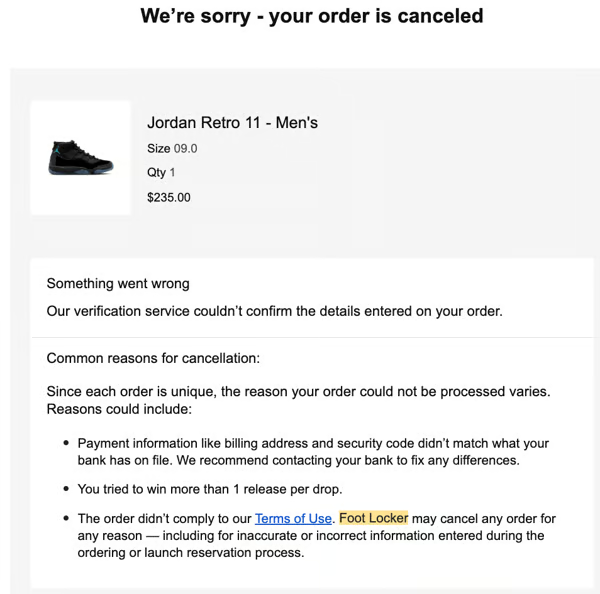
A Payment Verification (PV) or cancellation occurs when Footsites flag an order as suspicious, fraudulent, or bot-related. When triggered, the payment processor may cancel the order immediately or within several hours or days.
Why Orders Get Cancelled
Footsites monitor and analyze:
- Repeated orders using the same information
- Multiple purchases of the same item across different Footsites
- Prefilled or repeated checkout data (common with bots)
- Payment method behavior
- IP usage patterns
- Profile reuse
All Footsites currently use the Adyen payment processor.
- Adyen is more consistent and predictable than previous processors
- Proper profile setup significantly reduces cancellations
- Poor profile management is the #1 reason orders get cancelled
Core Rules to Avoid PVs & Cancellations
READ THIS FIRST
These rules matter more than anything else in this guide. Ignoring them will significantly increase cancellations.
Golden Rules (Non-Negotiable)
- ONE order per profile
- ONE Footsite per profile
- ONE item per profile
- ONE IP per week per release
- NEVER run the same profile across multiple tasks
Email Usage & Order Stick Rate Guide
Email selection plays a critical role in order stick rates. Using the correct email strategy can greatly reduce cancellations.
Golden Emails
- If an email has recently had orders stick, continue using it for future releases.
- Look for old emails to put in your profiles that had order history back then
- Any payment card can be attached to the same email.
Example
- Checkout with Card A using a specific email → order sticks
- Checkout later with Card B using the same email → order can also stick
Product Limitations
- Do NOT reuse the same email on the same product unless the retailer (e.g., Footlocker) removes the 1-per-person restriction.
- Once the restriction is lifted, the same email can be reused multiple times to secure additional sticking orders.
Profile Setup Strategy
Users should maintain two separate profile types:
1️⃣ Initial Release Profiles
- Used for the first launch of a product
- Can include a wider range of emails
2️⃣ Restock Profiles
- Should only include profiles with proven golden emails
- These emails can support multiple successful orders using the same profile/email
Timing Insight
- The 1-per-person restriction is typically removed around 36 hours after the initial release\
- This makes restocks the ideal time to reuse golden emails\
3. Bot vs Manual Checkout Rules
Bot Users
- Run each profile once only
- Do not reuse profiles
- Bots prefill data, which increases scrutiny
- Reusing profiles = higher chance of PV or payment decline
Manual Users
- Use PayPal or Apple Pay
- PayPal significantly lowers cancel rates
- Still follow all profile rules listed below
- Desktop/Phone Browsers is better than app when app is giving error issues
INSERT FTL VIDEO HERE
4. Profile Setup (MOST IMPORTANT SECTION)
Name & Payment Card
- Use realistic names
- Different names per profile are recommended
- Same name can work, but variation is safer
- Use hard cards for best results.
- Name must match:
- FLX account name
- Billing/shipping info
Address Jigging (General Rule)
- A commonly effective jigging method is modifying the street suffix
(e.g., St → Street, Ave → Avenue)
Address Jigging Example
Original Address:
1129 Industrial Park Rd
Jigged Variations:
- 1129 Industrial Park Hwy
- 1129 Industrial Park Fwy
- 1129 Industrial Park Drv
- 1129 Industrial Park Cir
ZIP Code (Advanced Tip)
Footsites often store ZIP codes in 9-digit format.
How to Find It:
- Go to Footlocker
- Add any item to cart
- Go to checkout
- Enter your address
- Footlocker will auto-generate a ZIP like:
12345-1647
Use this full ZIP when possible.
- ZIP+4 is optional
- But it matches how Footsites see manual checkouts
- Adds legitimacy to profiles
Phone Number
- Use random but realistic phone numbers
- Phone must match:
- Checkout profile
- FLX account